

emdrtech icon

Meet EmA

The companion app for the WTV bilateral stimulation device
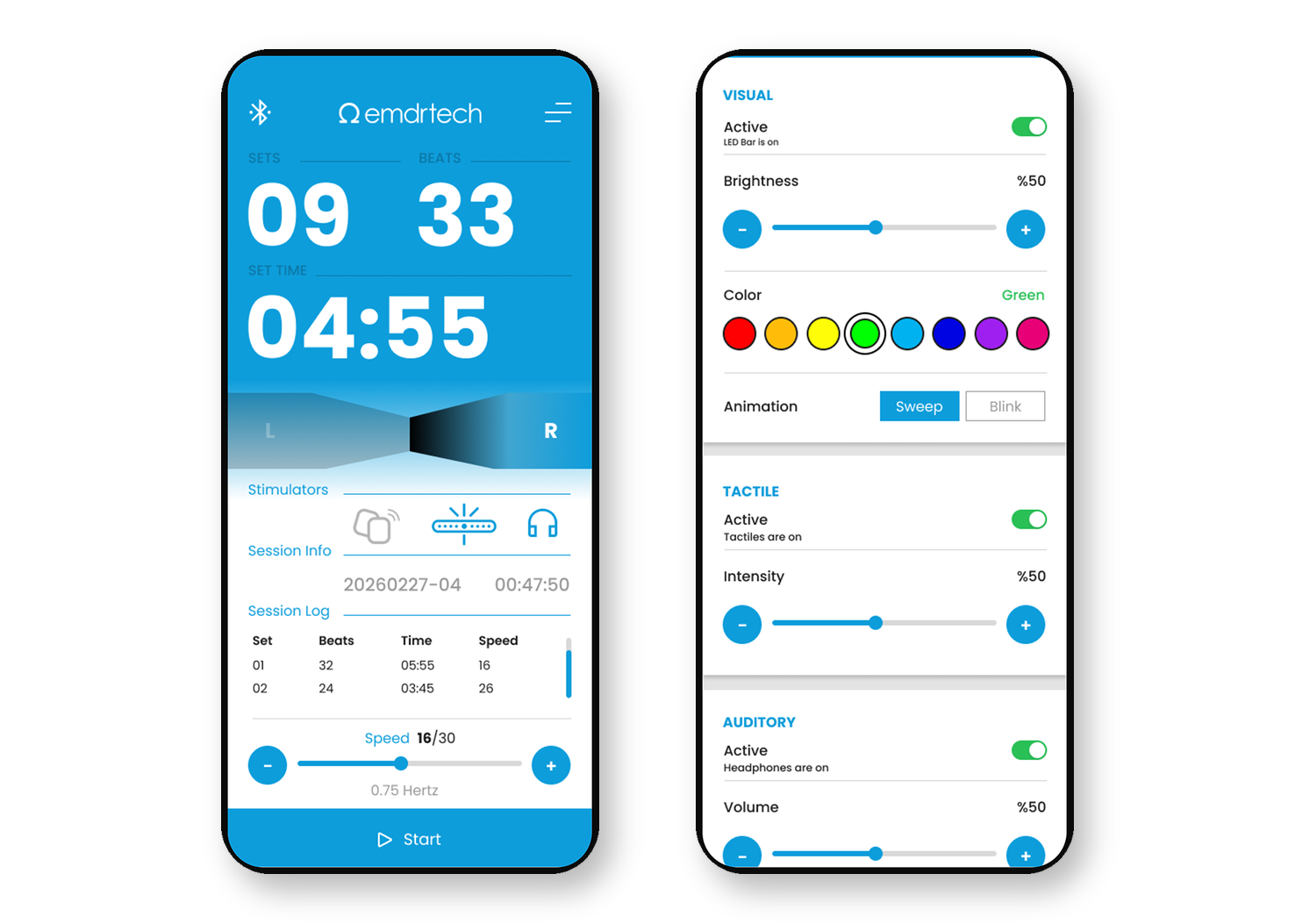
EmA app session and BLS settings screens

EmA by emdrtech

the companion app for

WTV

EmA connects to the emdrtech WTV device over Bluetooth and lets trained EMDR practitioners set up and control visual, tactile and auditory bilateral stimulation (BLS) from their phone. Its key features:

Download App

Available on Google Play. The iOS version is coming soon.
Get EmA on Google Play

Need the device? EmA controls the WTV Bluetooth EMDR light bar. Pre-order the WTV set on its product page.
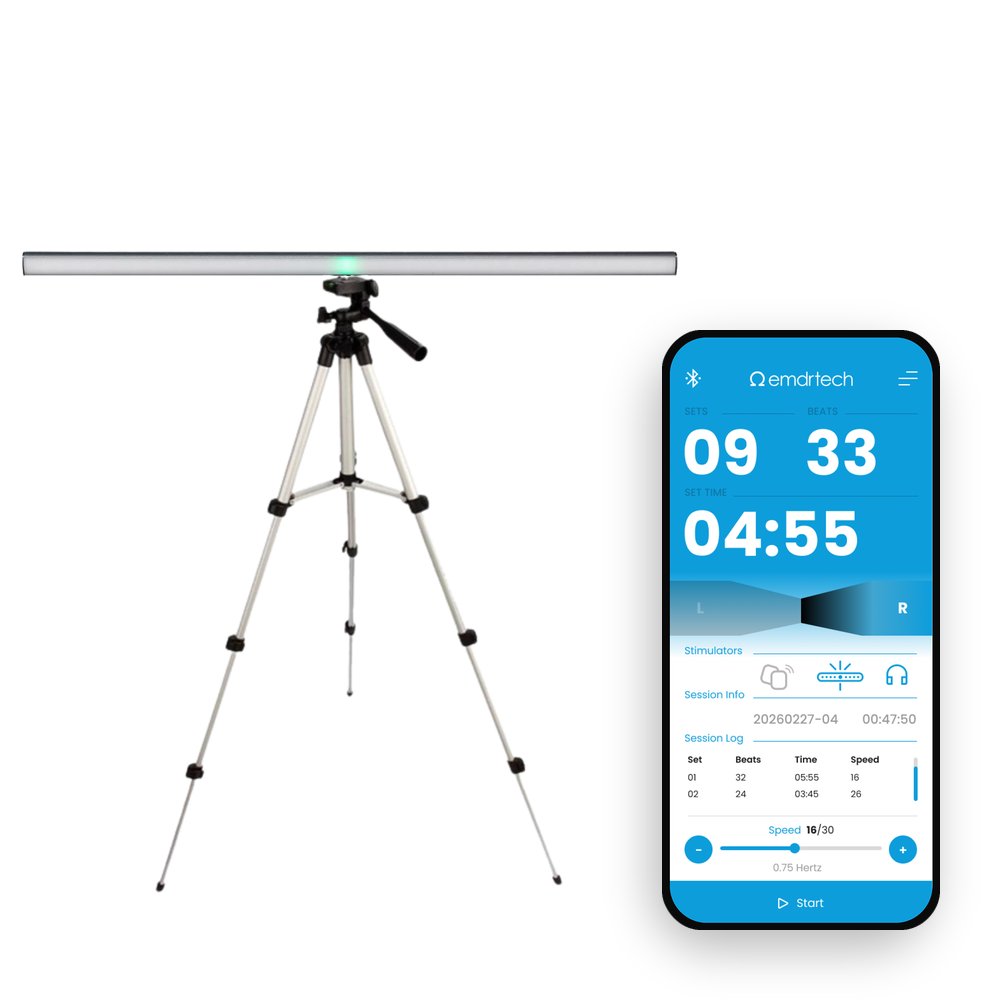
WTV light bar on a tripod with the EmA app
  • Bluetooth connection to WTV: Scan for nearby WTV devices, connect in seconds and reconnect automatically if the connection drops during a session.
  • Full control of stimulation settings: Choose the light colour, animation (Sweep or Blink), brightness, tactile intensity and speed (30 levels). Speed can be fine-tuned while a set is running.
  • Auditory stimulation from your phone: Left–right tones play through stereo headphones connected to the phone, synchronised with the light and tactile pulses of WTV.

  • Session counters: Follow the number of sets, beats and set duration on screen, and start, pause or resume with a single tap.

EmA is designed for trained EMDR practitioners who use WTV in their sessions. It is not a medical app and does not diagnose or treat any condition. EmA does not require an account and does not collect personal data.

How EmA Works

EmA turns your phone into the control panel of the WTV light bar. Everything you need for bilateral stimulation is on one screen:
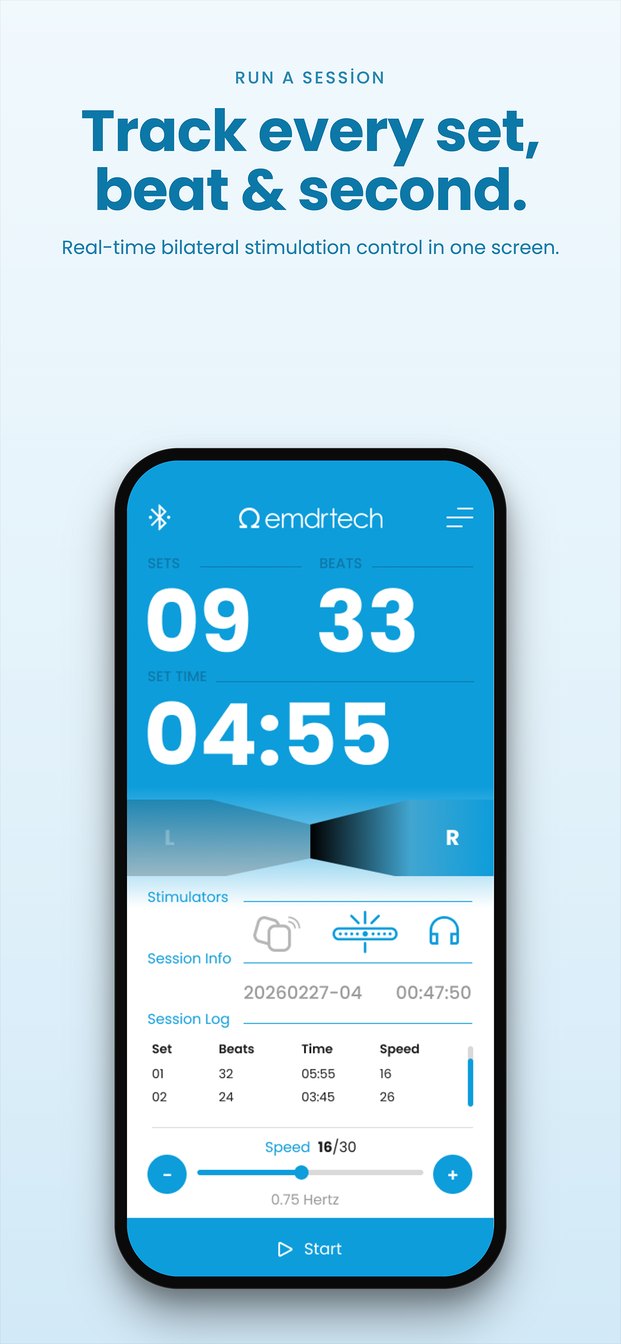
EmA session screen
Run a Session

Start, pause and resume with a single tap. EmA counts sets, beats and set time, and keeps a session log so you can review every set.
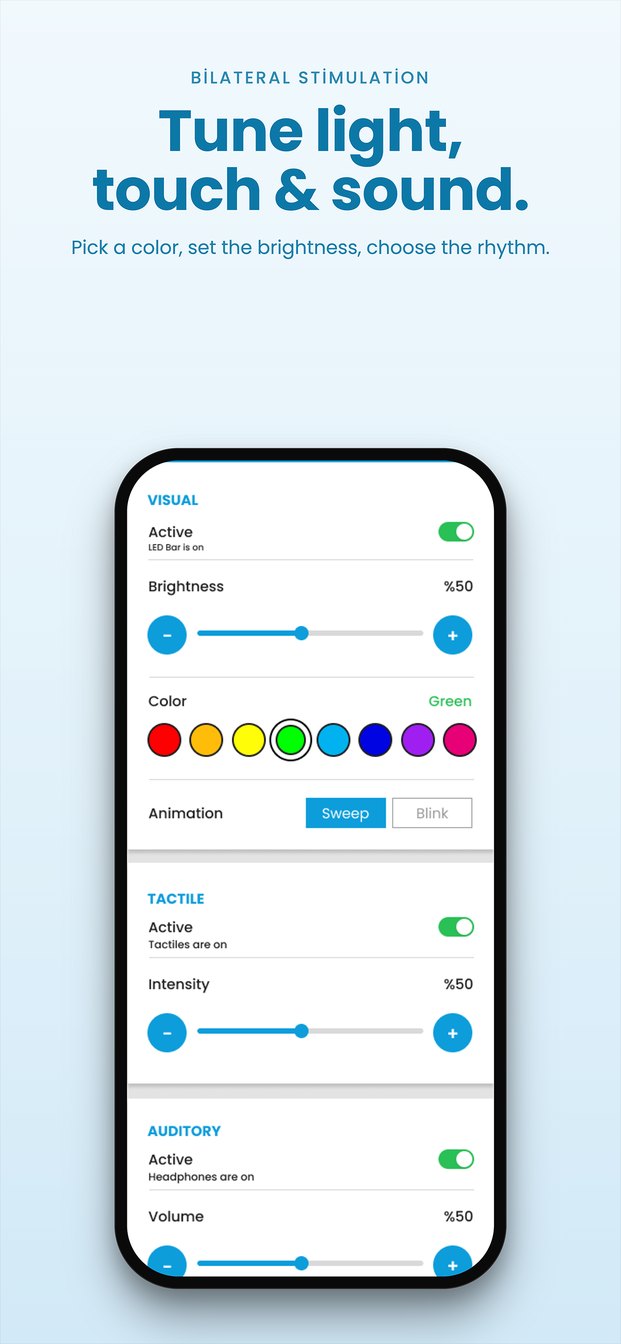
EmA BLS settings
Tune Light, Touch & Sound

Choose the light colour, brightness and Sweep or Blink animation, set tactile intensity and volume, and adjust the speed across 30 levels.
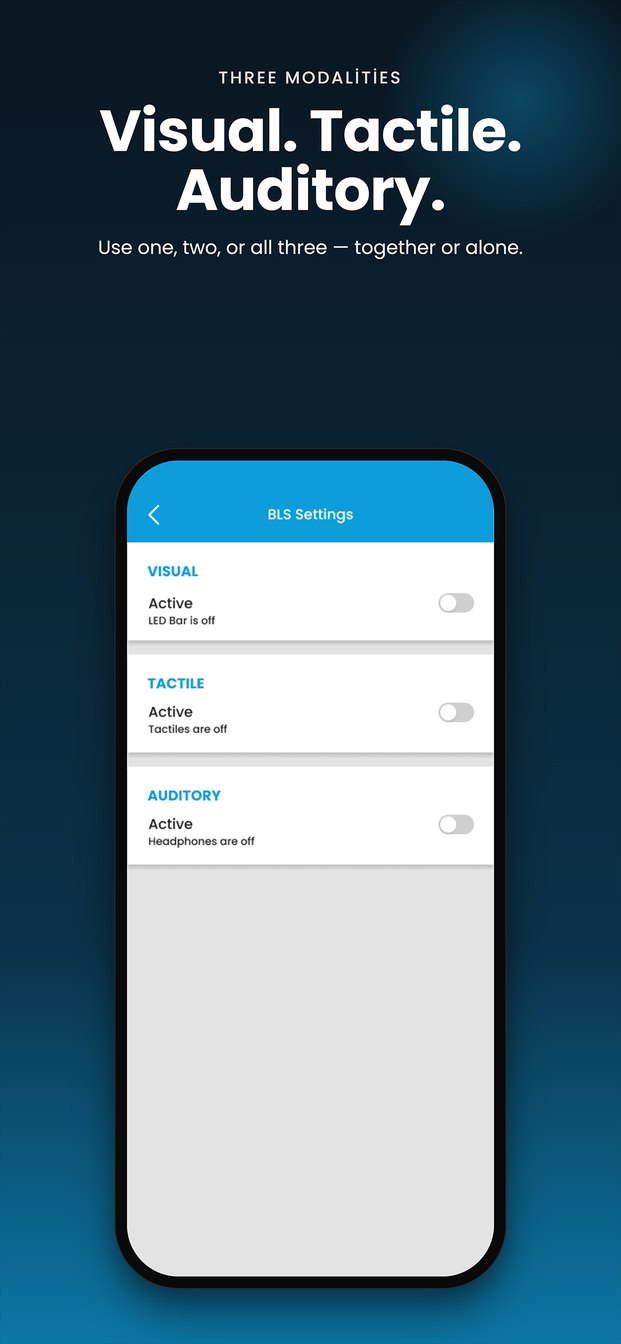
EmA stimulation modalities
Three Modalities

Use visual, tactile and auditory stimulation together or one at a time, and switch them on or off between sets.
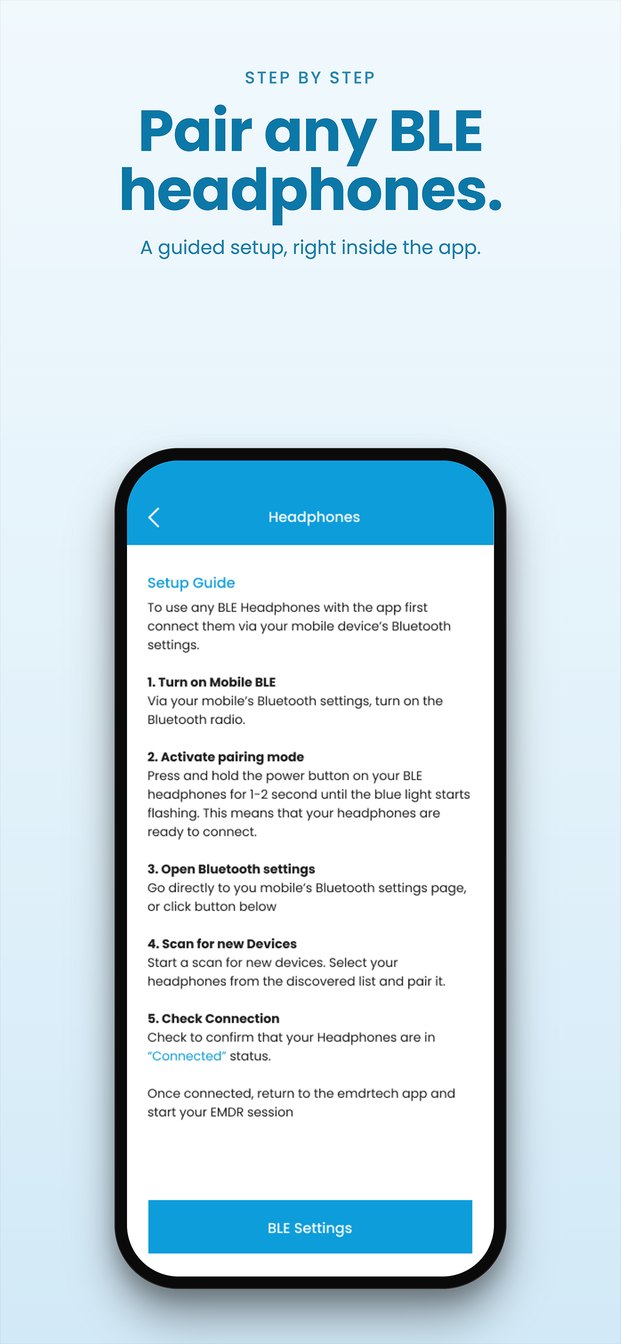
EmA headphones guide
Pair Your Headphones

A step-by-step guide helps you connect Bluetooth headphones, so left–right tones are heard clearly. You can also choose the tone played on each beat.

EmA is free and available in 7 languages: English, Turkish, German, Spanish, French, Dutch and Chinese. Download EmA on Google Play

You can find answers to the most frequently asked questions about EmA below.

frequently asked questions

EmA is intended for trained EMDR practitioners who use the WTV device with their clients. It is not a self-help tool and is not intended for self-application.

For visual stimulation you need the WTV light bar, which EmA controls over Bluetooth. Auditory stimulation can also be used on its own: EmA plays left–right tones through stereo headphones connected to your phone.

EmA runs on Android 7.0 or later with Bluetooth Low Energy. The iOS version is in preparation.

No. EmA does not require an account and does not collect, transmit or store personal data; session counters and settings stay on your phone. See the EmA Privacy Policy for details.

Use stereo headphones (wired or Bluetooth) connected to your phone so that left and right tones are heard separately. Closed-back headphones help block outside noise.

Visit our Support page or contact us. For device issues you can also use the Technical Service Form.